Tools compared
Best KDP tools in 2026: 16 tools compared by job and price
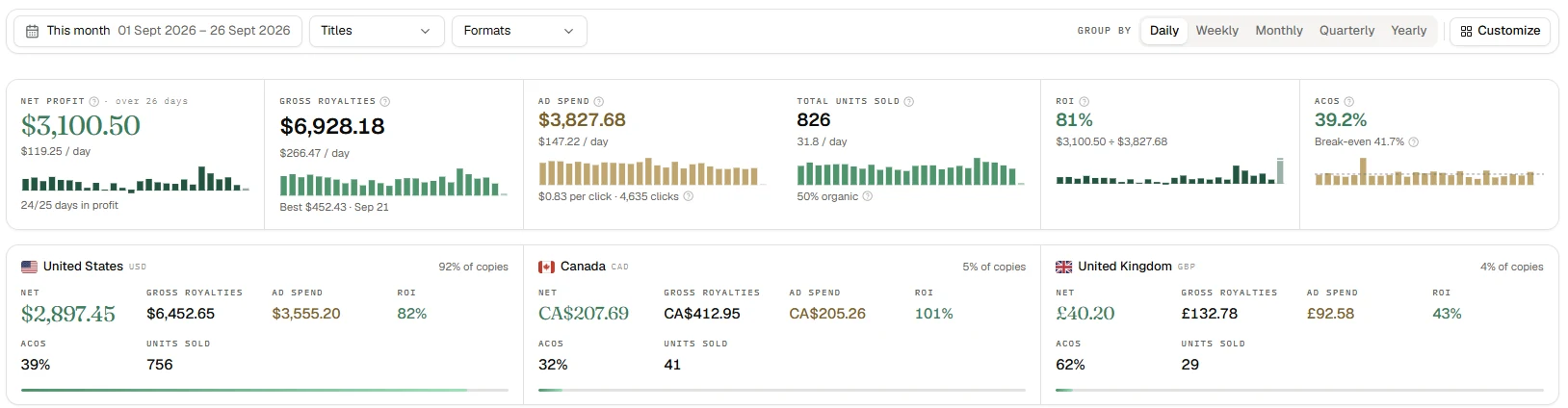
The best KDP tool depends on the job: research tools can't see your money, royalty trackers don't advise on ads, the best-known ad autopilot, Adigy, costs $249 a month, and Helium 10 was built for products. We compared 16 tools by price and features, with every price checked on the tools' own sites on September 25, 2026.
There are a lot of KDP tools, and almost all of them promise to "find a profitable niche" or "double your sales." They do very different jobs. Some research keywords and niches, some count royalties, some run your ads for you, and some were built for product sellers, not books. We sorted 16 of them by job, from Publisher Rocket and Helium 10 to AuthorLens, and checked every price on each tool's own site on September 25, 2026 (DS Amazon Quick View and SoldScope on October 1).
We use AuthorLens daily and have a business relationship with it.
The short answer
- You want profit per book, ad fixes and niche research in one place: AuthorLens.
- You haven't published yet and need a niche and keywords: a research tool — Publisher Rocket, BookBeam, Self Publishing Titans, Book Bolt or KDSPY, or the free DS Amazon Quick View extension for a first look. Our take on the best known one: Publisher Rocket review.
- You only need a royalty summary across platforms: Publisher Champ, Book Report or ScribeCount. Cheaper, but they don't tell you what to do with your ads. We compared the three in Publisher Champ vs Book Report vs ScribeCount.
- You don't want to touch bids yourself: an ad autopilot, Adigy or BookBidder. More in Adigy vs AuthorLens.
- Helium 10, Jungle Scout, AMZTarget and SoldScope are built for product sellers. They don't connect to KDP; for books, only the keyword and research tools are useful. Details in Helium 10 for KDP.
The four kinds of KDP software
Every KDP tool answers one of four questions:
- What book should I make? Niches, keywords, categories, competitors. Research tools look at other people's books on Amazon, but they can't see your money.
- How much did I earn? Royalty trackers pull sales from KDP and other platforms and, in some cases, subtract ad spend. They don't give advice.
- Who runs my ads? Autopilots change bids for you. They cost more, and an algorithm makes the decisions.
- Where does my book rank? Rank trackers follow your book's position in search. Most were built for products.
That's why so many authors pay for two or three tools at once: one for niches, one for royalties, one for rankings.
What Amazon shows you for free
Before paying for any tool, it helps to know what the free Amazon dashboards leave out.
| Where | What you see | What's missing |
|---|---|---|
| KDP Reports | royalties, KENP pages read (Kindle Unlimited pages), orders, payments | no ad data at all |
| Amazon Ads console | spend, clicks, orders, KENP pages and estimated KENP royalties | "sales" are counted at list price, not royalties; no profit per book |
| Amazon Attribution | royalties from ads outside Amazon: Facebook, Google, email | doesn't cover ads on Amazon |
So royalties live in one dashboard and ad spend in another, and Amazon doesn't show both per book. You can join them yourself in a spreadsheet, or use a tool that does it for you. What each free dashboard shows, screen by screen: KDP sales dashboard.
One more change: Amazon is moving advertisers to unified reporting and retiring the legacy Sponsored ads reports pages by December 31, 2026 (Amazon Ads). If your spreadsheet runs on the old reports, you will have to rebuild it before the end of the year. The easier route is an analytics tool that stores your data, calculates net profit per book automatically and tells you what to improve next. We use AuthorLens and recommend it: it pulls ad data through the official Amazon Ads API, so the report change does not affect it.
To check a single book for free, use our KDP royalty and break-even ACOS calculator (ACOS is ad spend as a share of ad-attributed sales).
AuthorLens: profit, ads and niches together
AuthorLens is an analytics dashboard made only for Amazon KDP. In this list it's the only one that covers three of the four questions — what to make, what you earned, where you rank — and tells you what to change in your ads:
- net profit per book across 23 Amazon marketplaces: KDP royalties minus ad spend, including video and Sponsored Brands ads, which the Amazon Ads console doesn't tie to a book;
- organic vs ad sales by book, format and day, plus TACoS (ad spend as a share of total sales);
- Ad Coach: a list of ad fixes, each with an estimated dollar impact and the exact bid;
- keyword rankings every day for up to 500 keywords;
- competitor, niche and category screens: Books, Compare, Discover and Opportunities;
- a Telegram report every morning, plus alerts the moment something happens: ad spend for the day passed your limit — $100, $200, $500 or any amount you choose — or Amazon blocked a book or rejected an ad.
Ad data comes through the official Amazon Ads API; royalties come through a browser extension that reads your KDP reports. For now it only reads data and doesn't change bids or campaigns. Soon you'll get a choice: apply Ad Coach fixes with one click, or switch on an autopilot. It costs $39.99 a month or $32.99 a month billed yearly. Every screen, with our own numbers, is in our AuthorLens review.


What AuthorLens doesn't do, so you can compare fairly:
- Amazon only: it doesn't see Kobo, Apple Books or your own store; trackers like Publisher Champ do;
- no series read-through tracking;
- no free plan: one plan at $39.99;
- alerts go to Telegram; there's no separate phone app, but the dashboard works in a phone browser;
- it doesn't move bids for you yet: you make the changes (one-click fixes and an autopilot are coming soon);
- niche research is capped at 100 searches a month.
Niche and keyword research tools
These help you decide what to publish. None of them connects to your KDP account.
| Tool | Price | What it does |
|---|---|---|
| Publisher Rocket | $199 one time | keyword search, 19,000+ categories, competition analyzer, Amazon Ads keyword generator, reverse ASIN lookup (a competitor's keywords by its ASIN, Amazon's product ID; 50 a month); 8 marketplaces |
| BookBeam | $47 / $69 / $119 a month, or $29 / $48 / $82 a month billed yearly | keyword and niche research, sales history, tracking, Chrome extension |
| Self Publishing Titans | $15–65 a month billed yearly ($20–90 monthly) | Chrome extension for Amazon, puzzle and coloring makers, design tools |
| Book Bolt | $23.99 / $35.99 a month, or $19.99 / $29.99 billed yearly | niche research for low-content books, cover and interior designer |
| KDSPY | $79 one time | browser extension: categories, keywords, competitors, 30-day book tracking; 12 Amazon stores |
| DS Amazon Quick View | free; Extended is $25 one time | Chrome extension: Best Sellers Rank and ASIN right on Amazon search results; Extended adds sorting by BSR, CSV export, publisher and page count, all marketplaces |
Where they win. Publisher Rocket and KDSPY are one-time purchases. If you're picking your first niche, that's cheaper than any monthly tool. Book Bolt suits notebooks, coloring books and other low-content books: niche research and an interior designer in one place.
What they can't see. Your royalties, your ad spend, and whether the book made money after launch. Publisher Rocket also warns on its own site that it may switch to an annual subscription.
Their numbers are estimates. Amazon doesn't give authors search volume, so "searches per month" in every one of these tools is an estimate from its own formula. Sales from BSR (Best Sellers Rank) are also estimated from a curve, and the lower the book ranks, the bigger the error. The only real demand data an author has is from their own ads: impressions and clicks for each search term.
DS Amazon Quick View: Best Sellers Rank on the search page
DS Amazon Quick View is a Chrome extension from an independent developer. Authors install it to size up a niche on the Amazon results page without opening each book. We installed the free version on October 1, 2026 and ran the search "gardening for beginners" with it, once for print books and once for Kindle.

What it showed:
- Best Sellers Rank under every book: the overall rank in Books or the Kindle Store plus up to three subcategories, with the ASIN and who sells it.
- The numbers are exact. For The Year-Round Vegetable Garden for Beginners the extension showed #23,218, the same figure as on the book's own Amazon page. A few minutes later it read #23,221: the rank is pulled from Amazon the moment you open the search.
- Kindle works too. Ebooks get their Kindle Store rank and subcategory ranks.
- The Price History and Keepa History buttons open CamelCamelCamel and Keepa. The free version has no price chart of its own.

What it doesn't have:
- Sales or royalties. How many copies a month is #23,221? The extension doesn't say. For comparison, Helium 10 estimated 236 sales a month for this same book on September 26, at a rank of 26,301, and that's a formula estimate too (how we tested Helium 10).
- Keywords or search volume.
- History. You see one moment. The book may have held that rank for a month, or climbed yesterday after a promo.
- The hover card. The setting to show details on mouseover was on, but the card never appeared for us.
The free version works on amazon.com only. Other marketplaces, sorting results by BSR and reviews, CSV export, publisher and page count are in the paid Extended version: $25 one time, no subscription.
What users complain about. The free version is rated 4.0 out of 5 in the Chrome Web Store, Extended 3.4. Two complaints come up most: after Amazon changes its pages the extension stops showing ranks for a while, and a lost Extended license is hard to recover, because the developer works alone.
Who it suits. Anyone researching niches by hand: open a search and see at once whether the books on page one are selling. Free, no sign-up. But one rank isn't enough to decide on. Estimated sales and royalties for a competitor's book, category growth and side-by-side comparison are on the Discover and Compare screens in AuthorLens.
Publisher Rocket vs BookBeam vs KDSPY
These three come up together in almost every search for a KDP research tool. They overlap, but they're built differently.
| Publisher Rocket | BookBeam | KDSPY | |
|---|---|---|---|
| How you pay | $199 one time, 30-day money-back guarantee | $47–119 a month ($29–82 billed yearly), 7-day money-back guarantee | $79 one time |
| Form | downloadable app | web app plus Chrome extension | browser extension on Amazon pages |
| Keyword research | yes, with estimated searches and competition | yes | yes |
| Categories | 19,000+ categories searchable | yes | reverse-engineers bestseller categories |
| Ongoing tracking | no | yes | books tracked for 30 days |
| Ads keywords | Amazon Ads keyword generator | no dedicated generator listed | no |
| Competitor's keywords by ASIN | reverse ASIN lookup, 50 a month | not stated on pricing page | not stated |
| Marketplaces | 8 | not stated on pricing page | 12 |
| Your royalties or ad profit | no | no | no |
Sources: publisherrocket.com, bookbeam.io/pricing, kdspy.com, all as of September 25, 2026.
How we'd choose:
- One book, tight budget, one-time payment: Publisher Rocket. The category search and the ads keyword generator are the strongest parts.
- You browse Amazon a lot and want numbers right on the results page: KDSPY. It's the cheapest of the three.
- You publish often and want to watch niches over time: BookBeam. It's the only one of the three built around ongoing tracking, and you pay for that every month.
None of the three sees what happens after you publish: your royalties, your ad spend, or whether a campaign loses money. For that you need a different kind of tool.
Royalty trackers: Publisher Champ, Book Report, ScribeCount
These pull in your sales and show what you earned. No niche or keyword research.
| Tool | Price | What it does | Trial |
|---|---|---|---|
| Publisher Champ | $16.99 / $21.99 / $29.99 a month | 25+ platforms, Amazon Ads, Meta Ads and BookBub ads, iOS and Android apps; Luna AI assistant only in the Ultra plan ($29.99) since August 2026 | 14 days, no card |
| Book Report | free under $1,000 a month in earnings, then $19–249 a month | KDP and other platforms; Amazon Ads out of beta since August 2026: Sponsored Products only, last 90 days only (August 2026 update) | 14 days, then free tier |
| ScribeCount | $5.99–34.99 a month, based on last month's book income | 40+ platforms, Amazon and Facebook ads | 14 days, no card |
Where they win. If you sell on Kobo, Apple Books, Draft2Digital or your own store as well as Amazon, these trackers put everything together. AuthorLens sees Amazon only. They're also cheaper, and Book Report stays free while you earn under $1,000 a month.
What they don't do. They show what ads cost you, but not which keyword to pause or which bid to lower. No niches, no keyword rankings.
Ad autopilots: Adigy and BookBidder
| Tool | Price | What it does |
|---|---|---|
| Adigy | $249 a month, including up to $2,000 of ad spend, plus 3.3% of spend above that; 30-day money-back guarantee | runs your campaigns: bids, placements, budgets, negative keywords; shows net profit per book; 12 marketplaces |
| BookBidder | $49 / $79 a month, 14-day free trial | automated bids by strategy and rules; 21 marketplaces |
Where they win. If you have no time for ads at all, an autopilot moves bids every day.
The risk. An algorithm makes the decisions and you pay for them. Adigy costs about six times more than AuthorLens. Neither does niche or competitor research. AuthorLens works the other way around: it tells you what to change and leaves the decision to you.
Coming soon to AuthorLens. Two modes to choose from: apply Ad Coach fixes with one click, where nothing changes until you press the button, or switch on an autopilot that manages bids for you.
Or use both. While AuthorLens only reads data, it can sit next to any autopilot and show in royalties how your profit changes. Most autopilots optimize ACOS, not the money a book makes, so that check is worth having.
Six more tools, briefly
They didn't make the main table: some haven't launched, others run ads without seeing royalties. People search for them, though, so here's the short version:
- KenpIQ — not live yet, taking pre-orders. Promises bid advice that counts KENP, with changes only after you approve; you upload your own reports. $29 a month for 5 books, $49 for 25.
- BookAdsAI — $29 / $49 / $99 a month. Moves bids by 10% at most and pauses campaigns at a limit. US only.
- Publisher Ads — $149 a month from October 1, 2026 (was $99), plus 2.8% of ad spend above $2,000. Builds campaign sets, harvests search terms and negatives. Sponsored Products only.
- SellerMetrics — $79.99–139.99 a month plus 2%. Rules and bids, with a managed option. Sees KENP, but not eBook or print royalties.
- Merch Jar — $199 a month billed yearly or $300 billed monthly (includes $7,500 of ad spend), plus 3% or 4% of spend above that. Rules and Copilot, previews changes before applying them. Doesn't see royalties.
- KDP Rank Fuel — $0 / $9 / $29 a month. Niches, trends and ad tips.
What most of these autopilots have in common: they optimize ACOS without seeing your royalties. AuthorLens starts from what the book actually earned.
Built for product sellers: Helium 10, Jungle Scout, AMZTarget, SoldScope
| Tool | Price | What it gives a book author |
|---|---|---|
| Helium 10 | Platinum $129 a month ($99 billed yearly), Diamond $359 ($279 billed yearly) | keyword research with Cerebro (Magnet was merged into it in 2026); weak for Kindle; connects to Seller Central, not KDP; no royalties |
| Jungle Scout | Catalyst plans; exact prices on the plan pages, 7-day money-back guarantee | demand research on Amazon; for books, only keywords and niches |
| AMZTarget | free (1 product, 5 keywords), then $19 / $49 / $99 a month | keyword rankings up to 24 times a day, listing change alerts, notifications by email and Telegram |
| SoldScope | free up to 15 keywords, then $29 / $59 / $119 a month ($24 / $49 / $99 billed yearly) | keyword rankings once a day, organic and sponsored shown separately; 500 / 2,500 / 5,000 keywords; 8 marketplaces |
These tools are built for people selling physical products: Buy Box, inventory, FBA fees, Seller Central. Half of their features mean nothing to a KDP author, and none of them sees an author's royalties.
Helium 10 makes sense for one month when you need a deep keyword dig, then cancel. There are promo codes from Vova Even: VOVA10 — 10% off for life, VOVA6M20 — 20% off the first six months. Sign-up link: Helium 10.
SoldScope: keyword rankings, tested on a book
SoldScope is a toolkit for Amazon product sellers. Its site doesn't mention books or KDP at all. But it looks up rankings by ASIN, and a book has an ASIN too. One check is free with no sign-up.
On October 1, 2026 we checked the same book, The Year-Round Vegetable Garden for Beginners, for the search "gardening for beginners":

- Organic rank: #4 on page one. That matched what we saw on Amazon ourselves: the fourth book among the regular results.
- Overall rank: #5. A sponsored block sat above the book. This is the number closest to what a shopper sees.
- No ad for this book on this search. SoldScope reports organic and sponsored positions separately.
Below the result come ten "related" keywords with search volume. This is where you notice the tool wasn't built for books. For a vegetable gardening book it suggested "magazine subscriptions" and "no grid survival projects", and it showed no search volume for "gardening for beginners" itself.

Pricing. The free plan tracks 15 keywords; we signed up and checked that in the account. Inside, rankings are shown by day as a color heat map, with average organic and sponsored rank reported separately. Starter is $29 a month for 500 keywords, Standard $59 for 2,500, Professional $119 for 5,000; billed yearly that's $24, $49 and $99 a month. Rankings refresh once a day, with a temporary every-2-hours mode. Eight marketplaces: US, Canada, Mexico, UK, Germany, France, Italy, Spain. No Japan or Australia.
Why your own check is 3–5 places off the tracker. That's normal for any rank tracker. Amazon shows different results depending on delivery address, device, purchase history and time of day, and some tools count sponsored slots while others don't. Watch the movement over a week and a month, not a single number.
How it differs from AuthorLens. AuthorLens checks up to 500 keywords every day, also split into organic and sponsored, and that's included in the same $39.99. Next to each ranking it shows ad spend and orders for that keyword over 60 days, so you see not just the position but what you pay for it. Rankings also arrive in Telegram every morning. SoldScope's 500-keyword plan is $29 and it's rankings only: it sees neither your royalties nor your book's ads.
All 16 tools compared
| Tool | Price per month | Your royalties and profit | Ad advice | Niches and keywords | Keyword rankings |
|---|---|---|---|---|---|
| AuthorLens | $39.99 | yes, per book and marketplace | yes, with dollar amounts | yes | daily, up to 500 keywords |
| Helium 10 | $129 | no | for products (Diamond) | yes | yes, 500 keywords on Platinum |
| Publisher Rocket | $199 one time | no | no | yes | no |
| BookBeam | $47–119 | no | no | yes | tracking |
| Self Publishing Titans | $15–65 yearly, $20–90 monthly | no | no | yes | no |
| Book Bolt | $23.99–35.99 | no | no | yes | no |
| KDSPY | $79 one time | no | no | yes | no |
| Publisher Champ | $16.99–29.99 | yes | no | no | no |
| Book Report | $0–249 | yes | no | no | no |
| ScribeCount | $5.99–34.99 | yes | no | no | no |
| Adigy | from $249 | yes | runs ads itself | no | no |
| BookBidder | $49–79 | no | runs bids itself | no | no |
| Jungle Scout | see its site | no | no | partly | no |
| AMZTarget | $0–99 | no | no | keywords by ASIN | up to 24 times a day |
| DS Amazon Quick View | free, Extended $25 one time | no | no | BSR on search results only | no |
| SoldScope | $0–119 | no | no | keywords by ASIN | once a day, organic and sponsored; 15 keywords free |
Prices from each tool's own site on September 25, 2026; DS Amazon Quick View and SoldScope on October 1.
One tool instead of two or three
If you assemble the same coverage from separate tools:
| Stack | Per month | Still missing |
|---|---|---|
| Publisher Champ + BookBeam | $16.99 + $47 = $63.99 | ad fixes with dollar amounts |
| Publisher Champ + Helium 10 | $16.99 + $129 = $145.99 | ad advice built for books |
| Book Report (free under $1,000) + Publisher Rocket | $0 + $199 once | ad fixes and daily keyword rankings |
| AuthorLens | $39.99 | other platforms besides Amazon |
To be fair: if you earn under $1,000 a month and barely run ads, Book Report plus Publisher Rocket is cheaper. Once ads become a real cost line, the tool that shows where they lose money pays for itself. On one of our books in September, Ad Coach found 7 fixes worth about $178.69 a month.
Which one to choose
No book yet. There's no profit per book to count; you need a niche. The free DS Amazon Quick View extension gives a quick first look right on Amazon search. For the actual choice, a one-time Publisher Rocket or KDSPY purchase is enough, or the Discover and Opportunities screens in AuthorLens if you plan to run ads later. How we pick niches by the numbers: how to find a profitable KDP niche.
One to five books, ads running. Now the question isn't the niche but whether the ads pay off. Amazon Ads shows ACOS, but it doesn't see organic sales or which book a video ad sold (our numbers on that: video ads for books). That's the job for AuthorLens: profit per book, Ad Coach and daily rankings. Where your own break-even point is: our KDP royalty and break-even ACOS calculator.
Many books, several platforms. If you sell on Kobo, Apple Books or your own store too, a tracker like Publisher Champ collects every platform. Amazon ads and rankings are still easier to read in AuthorLens.
No time for ads at all. An autopilot: BookBidder or Adigy. AuthorLens is adding an autopilot soon, too. But check first whether your ads pay off at all. An autopilot speeds up whatever you have, including the campaigns that lose money.
FAQ
What is the best software for Amazon KDP?
It depends on the job. To pick a niche for a first book, a one-time purchase like Publisher Rocket or KDSPY is enough. To see whether ads pay off and what each book earns after ads, use a KDP analytics dashboard such as AuthorLens. To combine royalties from several platforms, use Publisher Champ, Book Report or ScribeCount.
Is Publisher Rocket better than KDSPY?
Publisher Rocket ($199 one time) has a stronger category search and an Amazon Ads keyword generator. KDSPY ($79 one time) is a cheaper browser extension that shows numbers right on Amazon's results pages. Neither sees your royalties or ad profit.
Are there free KDP tools?
Book Report is free while your earnings stay under $1,000 a month. Publisher Champ, ScribeCount and BookBidder offer 14-day free trials, and Book Bolt offers a 3-day trial. The DS Amazon Quick View extension shows Best Sellers Rank on Amazon search for free, and SoldScope tracks a book's rankings for 15 keywords for free. KDP's own Reports tab is free but doesn't include ad spend.
Is Helium 10 worth it for KDP authors?
Only for keyword research. Helium 10 connects to Seller Central, not KDP, so it can't see royalties or profit per book. Many authors take one month of Platinum ($129) for a deep keyword dig and then cancel.
Which KDP tool shows profit after Amazon Ads?
AuthorLens, Adigy and Publisher Champ show net profit per book after ads. Book Report and ScribeCount subtract ad spend only partly; Book Report covers Sponsored Products for the last 90 days. AuthorLens suggests what to change in your ads and leaves the decision to you; Adigy changes your ads itself. Research tools like Publisher Rocket, BookBeam and KDSPY don't see your profit at all.
Can Amazon ban my KDP account for using third-party tools?
No one can promise that; Amazon writes the rules. The risk depends on how a tool connects. AuthorLens gets ad data through the official Amazon Ads API, and its AuthorLens Sync extension reads royalties from the same KDP reports you see yourself, because KDP has no royalty API. For now it only reads data and doesn't change bids, campaigns or books. One-click fixes and an autopilot are coming soon, and they switch on only if you choose them.
How can I see Best Sellers Rank on Amazon search results for free?
Install the DS Amazon Quick View extension for Chrome: each book on the results page gets its Best Sellers Rank, subcategory ranks and ASIN. The free version works on amazon.com only. It doesn't estimate sales or royalties; AuthorLens shows an estimate from BSR.
Why doesn't my book's position in a rank tracker match what I see on Amazon?
Amazon shows different results depending on delivery address, device, purchase history and time of day, and trackers count sponsored slots differently. A gap of 3–5 places is normal. Watch the movement over a week and a month, not a single number.
Royalties and ad spend per book, side by side — the way we track our own books. It also shows the highest ACOS each book can afford. Leave your email and we'll send it.
One email a week at most. Unsubscribe in one click.
Real campaign numbers, not theory. One recent case: the same keyword in two match types — broad at 9% ACOS, exact at 49%. In the Facebook group KDP Ads & Profit we break down cases like this every week.
Join the group →or follow Darya on LinkedIn

Selling books on Amazon KDP since 2023, 77,600+ copies sold. Every number in these articles comes from our own KDP and Amazon Ads accounts.
All articles